Thursday, 17 January 2013

PayPal is letting the numbers tell mobile payments success in 2012


PayPal likes the numbers coming from their 2012 balance sheet. The online mobile payment company is reporting $14 billion in customer payments, compared with a projection of $10 billion for last year.

According to PayPal, during the holiday season from October to December, 692 million payments were processed, making it the busiest three months in the company's 14-year history.

PayPal's growth continues with 123 million active accounts, driven by the addition of more customers in the last three months of last year than at any time during the past eight years.

"To all of our customers, both old and new, I’d like to say thank you...for your loyalty, your enthusiasm and for your valued feedback, said David Marcus, president of PayPal. "We are committed to making 2013 a great year for you."

PayPal has been turning their attention to offline retailers and small business. According to PayPal executives, this market is 17 times larger than the online sector.


They launched "PayPal Here" in March as a mobile payment solution that allows small business to accept almost any form of payment by using a free app and a small credit card reader for the iPhone and Android devices.

The online payment sector will get increasingly crowded, as key players explore banking on NFC, or Near Field Communication, to entice consumers to pay for merchandise and services with their smartphones. Google has Google Wallet, Mastercard has PayPass Wallet and Visa is pushing their V.me digital wallet service.

Apple rolled out their Passbook app with iOS 6 in September, which will organize gift cards, coupons, passes, tickets and more, with the idea of making your wallet a lot thinner and lighter. But Apple has stay away from the NFC technology, while it can be found several iPhone competitors, such as the Samsung Galaxy S III and Victory, the Nokia Lumia devices, Motorola RAZR i and the HTC 8X.

Several of the mobile carriers, including AT&T, Verizon Wireless and T-Mobile, are exploring mobile payments services using the Isis Mobile Wallet, which is underway in Salt Lake City and Austin.

While the mobile payments technology continues to emerge, Paypal is banking on introducing their customers to new ways to shop and pay in the years ahead.

Visit us on Facebook | Follow on Twitter | Send an email | View Photo Galleries

Click to become a LifeFlicksTech member

Tuesday, 15 January 2013

Getting properties and functions of JavaScript objects

I was looking for a way to get all the properties and functions for a particular JavaScript object. Looking around the web I found this discussion of StackOverflow which gave me my answer. I created a small helper function to which you pass your object and it spit out all its properties and function in the console. This is how it looks like:


You may argue that content assist in IDEs already give you this information. But there are slight differences in implementation of JavaScript of each browser. Looking into the document object on Chrome I found a property webkitIsFullScreen, but on Firefox there is not corresponding property with name mozIsFullScreen (I am looking at Firefox 16).

Sunday, 13 January 2013

HTC battery bank short review

Lately I've been using one of the best phone accessory I've ever had. And the funny part is, I didn't suspect it to be that great. But let's start from the beginning!

Full name of that red & black little thing is "HTC External Battery Bank for all Micro USB Handsets".

What is so great about it? In simple words - it's small and can save your butt in many situations. The capacity of 6000 mAh is enough for full two charges. What is more - due to dual charging port - USB port and micro USB port - it's compatible with most new smartphones.


It's quite small (9,7 x 4,2 x 2,2) so you can take with you everywhere. Not really useful when you are in the car (better to use car charger) but quite handy in the train, bus, boring lecture or long day trip outside the city.

At the top you'll find a button. Once pressed, the lights in front of the battery bank will indicate how much power left inside. Very nice!


As I wrote before, the size is great, but as most of you probably think - things can always get smaller! I don't know if it's possible to make such battery bank smaller (at least now) but the current size should not be an issue. If you have enough space to carry 4-inch screen device or bigger, then you surely will find extra space for this external battery bank.


When battery bank is discharged, simply plug it to any device with USB port (can be notebook) or regular charger. It will take few hours to full charge, but afterwards it's ready to be your lifelong companion!


Described battery bank comes with a micro USB cable with a length of 15cm. What I really miss here is some kind of holder for that cable integrated with the battery bank. Some simple plastic holdfast would be really great and wont take much space. HTC, maybe something worth to consider?

Reviewed subject was delivered by HTC.

Do you have any questions or want to share some opinion? Please leave a comment below! Also, if you like this article, please use media sharing buttons (Twitter, G+, Facebook) down this post!


More cores, more power and still no effective cooling system

I think we really have a problem here. Watching the world of technology, there is a clear tendency to equip mobile devices with more and more power. Looking at the specifications of fleshly unveiled Nvidia Tegra 4 (72 custom Nvidia GeForce GPU cores, new quad-core variant of ARM's Cortex-A15 CPU) I can say I'm already pretty amazed. But this enthusiasm might be suppressed very soon!
Where is the issue? You might say we've already been there few years ago, when multi-cores CPUs were gaining more and more attention from non-professional desktops/notebooks users. Marketing did a great job then. Nobody cared that most of consumers wouldn't be able to use the power of multi-cores. Nobody told them, that powerful CPU in pair with 1 GB of RAM memory and 5.400 RPM hard drive will be a waste of money and power. But it's not the point here.

What matters is the method of heat extraction. Air or water cooling systems are very advanced these days and can be very effective when it comes to PC. So if you really want to use 4 cores CPU for MS Word Editing or Internet browsing on your PC, there is nobody stopping you, apart of your own pocket. But what about mobile phones, tablets or so popular these days ultrabooks? Cooling systems on those devices are really bad. And what makes it even worse, there is no revolution coming. At least not for mobile phones or tablets.

Most of new ultrabooks (equipped with powerful CPUs and dedicated GPU) suffers from so called "throttling", caused by too much heat generated by the CPU and GPU when under heavy load together. Extra thin constructions are not effective when it comes to cooling, because the size of cooling heaps and fans needs to be reduced to minimum. Of course there is some room for improvements. For example, in  new MacBook Pro you can find two fans and quite smart arrangement of cooling pipes. Notebooks/ultrabooks designers surely have more options and more space than mobile phones designers. So I believe this might get better in time.

What's the situation when it comes to mobile phones? As I mentioned before, I think it's really bad. First of all, you can't put any fan inside your phone. The space inside is so limited, so forget about advanced system of micro cooling pipes. So what is the current solution? For example, idea of 5th companion core presented by Nvidia in Tegra 3. When device is in idle state, 5th core is taking care of low level tasks, running at very low frequency. Yes, this is quite smart. Tegra 4 will have the same mechanism. Another example - smart governors. When you turn your screen off, you CPU frequency will be limited to let's say 340 MHz. When turning screen on, it will go back to let's say 1,7 GHz. Nice, huh?

So... wait a minute!

It seems that from one hand we are buying super powerful devices, and from the other hand there are plenty of methods to limit this power. People are happy these days when they can use their super phone for more then 16 hours without charging. They do everything to achieve that - they are limiting GPU power, CPU power, turning off capacitive buttons lights or changing screen backlight to minimum (and they can barely see what's written on the screen). So take a moment, sit on the chair and count - how many times have you actually used the power of your device? Do you really need 4 cores and 2GB of RAM for Gmail, Chrome or Andry Birds? I don't think so. You might say you are playing heavy 3D games. Okay - how long can you play Need For Speed on your device in the bus? I'm pretty sure your device will be discharged after less then 1 hour. So, you might say you can always play it at home, with a device connected to the charger. Personally, when sitting home I prefer playing Need For Speed on PC or notebook.

What's the point in having 4 cores CPU, 2GB RAM and 72 custom Nvidia GeForce GPU cores if you can't use it? In idle this will be limited to 1 hidden core running something like 70 MHz. When using the phone for daily tasks (photos, internet, mail, calling) it will use about 20% of the potential power. When playing games it might use the full power for some period of time, then will be down-clocked because of generated heat. Is it comfortable to hold a device in your hand that have a temperature of 59 °C? I don't think so...
Of course there is a matter of reducing the size of the chipsets. Newer production processes mean lower power consumption. But this wont help.

So is it a right and good direction, when a companies are making more and more powerful hardware, trying to figure out better and more effective way to limit this power at the same time? It's like putting in and out. And all for the money from customers.

Do you have any questions or want to share some opinion? Please leave a comment below! Also, if you like this article, please use media sharing buttons (Twitter, G+, Facebook) down this post!


Saturday, 12 January 2013

Welcome!

This is the first post on my new blog - http://android-revolution-hd.blogspot.com.

I want to post here some reviews of devices I own, some mobile news etc. Some information concerning my ROMs as well. Basically I don't know yet what form will this blog have, but I'm sure it's worth to give a shot this way of communicating with Android fans. This surely wont be personal blog :)

You can find my blog at android-revolution-hd.blogspot.com.

See you around!

Wednesday, 9 January 2013

TechRadar editors select Best of the Best at the 2013 CES


The winners of the first annual TechRadar Best of CES Awards 2013 were announced today. TechRadar editors touched, played, used and reviewed the hottest and newest items the Consumer Electronics Show has to offer and named their top choices direct from the show floor at the convention center in Las Vegas.

Winners of the TechRadar Best of CES Awards 2013 include:

Best in Show: Sony Bravia 4K 65-inch Television

Peoples' Choice Award: Steam Console Concept – Valve

Best Cell Phone: Sony Xperia Z

Best Tablet: Razer Edge

Best Laptop: Lenovo ThinkPad Helix

Best GPS Device: Bad Elf GPS Pro

Best Digital Camera: Fuji X20

Best Audio Accessory: MUNITIO PRO40 High Performance Headphones

Best All-in-One Computer: Lenovo IdeaCentre Horizon Table PC

Most Unique Product: Panasonic 20-inch 4K Windows 8 Tablet

Best Car Tech: Lexus Self-Driving Car

Best Home Theater Product: Sony Bravia 4K Television 65-inch

TechRadar, owned by Future U.S. media group, is the United Kingdom's biggest technology website and launched a U.S. focused site in April 2012.

----------------------------------------------------------------------------------------------------------------- You can stay abreast of the latest technology news using the following tools and links:

CES Conference tracks

CES TechZones

Keynote addresses locations

Get the official CES Mobile app
----------------------------------------------------------------------------------------------------------------- Visit us on Facebook | Follow on Twitter | Send an email | View Photo Galleries

Tuesday, 8 January 2013

The 2013 CES is a haven for gadgets and technology enthusiasts

Members of the media enjoy a sneak peak of what's to come at this year's CES event.

The 2013 International Consumer Electronics Show is underway and Las Vegas is the place to be this week for gadget lovers.

The keynote addresses will kick things off today, with Kazuhiro Tsuga, president of Panasonic Corp. leading the way. Tsunga was to share to his vision for the future and elaborate on how Panasonic is engineering a better world for us all.

We'll also hear from Gary Shapiro, president and CEO of CEA, and Lowell McAdam, chairmen and CEO of Verizon.

As we know from previous years, Apple Inc. will not be in the house and Microsoft was on tap on a keynote appearance, but I hear that Chairman Steve Ballmer worked in a few comments on the new Windows RT and Windows Phone 8 devices.

It didn't take long for gadget news to start filtering out from the convention booths at the Las Vegas Convention Center/Hilton and The Venetian.

Huawei, a leading global information and communications technology company, has already primed the pump, with their announcement of the world's largest smartphone. It's called the Ascent Mate and sports a whooping 6.1-inch display, a 1.5 GHz quad-core display and a 4050 mAh battery under the hood. We'll learn more about this trend-setter in the coming months.

The Near Field Communication technology is also on the move, with early announcements coming Samsung on NFC Bluetooth speakers and Asus rolling out their 10.1-inch VivoTab Windows 8 tablet.

Sprint is also using CES to announce their Microsoft Windows Phone 8 plans. They'll have two WP8 devices coming this summer — one from Samsung and another from HTC. So get ready for Live Tiles and SkyDrive features from the guys in yellow.

Let's also not forget the auto makers, as Ford and USA Today have teamed up for an app and Ford SYNC integration to allow drivers to just tell their car to listen to sport stories or the latest news. I imagine we can expect similar technology from other auto manufacturers.

The fitness craze is continuing to spark innovation with the announcement of the Fitbit Flex, a Bluetooth wristband that help track the progress of your workouts to help meet your goals. According to the company, it'll also monitor your sleep quality.

Another early mover out of the gate is Coby Electronics Corporation, with their LED TVs, Bluetooth speakers, headphones and earbuds. This New York company has been making consumer electronics products since 1991 and continue to carve out a place in the industry.

This is just the first day of CES and the best is yet to come. It's going to be a good week for technology.

Visit us on Facebook | Follow on Twitter | Send an email | View Photo Galleries

Click to become a LifeFlicksTech member

Wednesday, 2 January 2013

Saving the Windows Phone 8 Emulator State

    Saving the emulator state between runs was one of the feature needed for the Windows Phone emulator, but till now it is not officially supported. It even makes more sense now when the Windows Phone 8 emulator is a full working operating system and not a trimmed one like Windows Phone 7/7.5 was. You could configure an email account, personalize the start screen, install some applications, install certificates or even save the state of an application that requires a lot of data to synchronize before the actual debugging and have everything ready the next time you start the emulator.
   Today I was trying to run the Windows Phone 8 emulator on a Parallels 8 machine using this post because I hate Windows 8 performance in Bootcamp (the disk access is crappy and the UEFI mode still needs drivers for sound, video and a way to enable Hyper-V). I observed that the first time you run an Windows Phone emulator it took more than 40 seconds to start. The reason is that the SDK creates a new Virtual Machine in Hyper-V and saves a "clean" snapshot of it.

       On every subsequent run of that emulator the XDE automatically starts the virtual machine and immediately applies the snapshot (or starts the virtual machine from the snapshot directly). What caught my attention was the name of the snapshot for each virtual machine: 
  1. Emulator 720P - snapshot.720x1280.1024
  2. Emulator WVGA 512MB - snapshot.480x800.512
  3. Emulator WVGA - snapshot.480x800.1024
  4. Emulator WXGA - snapshot.768x1280.1024
     I tried and messed up the names and observed that XDE, if it doesn't see a certain Snapshot, it starts the Virtual Machine and creates a new snapshot with the required name. So in order to save the state it would be enough to alter/change the snapshot XDE uses to start the virtual machine. 
      First we need to start the emulator we want to personalize (in this post i will mess up the 512 WVGA emulator). This can be done in two ways:
  1. From Visual Studio by running a program on that emulator or from Application Deployment (the emulator is easy to personalize because you can zoom the content and you have the hardware buttons but will require a subsequent reset of the Virtual Machine from Hyper-V) 
  2. From Hyper-V manager by starting the Emulator WVGA 512MB virtual machine and applying the saved snapshot for a fast start. After the machine starts you will have to connect to it:

    Once connected to the emulator/virtual machine you can personalize/modify the way you want it to be. If you connected using Hyper-V these keyboard shortcuts will prove helpful (they also work in the emulator):


  • F1 - the same as pressing the back button
  • F2 – the same as pressing the home button
  • PageUp  - enables physical keyboard and minimizes the software keyboard
  • PageDown – disables physical keyboard and maximizes the software keyboard
  • F9 - volume up
  • F10 - volume down
  • F7 – invoke camera
  • F3 – invoke Bing search
If you want/need to install some xap's you can use Application Deployment with the Emulator. 
When you've reached the desired state go to the Hyper-V manager, select the Virtual machine that you are personalizing and hit Snapshot. This will create a new Snapshot(save state for the emulator).

If you've started the emulator from Visual Studio or Application Deployment App before you create the snapshot you will have to connect to the Virtual Machine from Hyper-V and from the menu Action select Reset (this will clean the ports used for debugging and the state you will save will be usable for Visual Studio and XDE).

After saving the new state the only thing you have to do is to rename the snapshot with the same name of the parent snapshot and delete the parent by right-clicking on it and select Delete Snapshot (DO NOT select Delete Snapshot Subtree).

You are now ready to go:  Turn Off the virtual machine from Hyper-V and try it from Visual Studio. Everything should work. If it doesn't it means that the state has some ports that Visual Studio uses still opened and in this case you will have to connect to the Virtual Machine from Hyper-V, Reset the machine from Action and save a new Snapshot.


My personalized emulator looks like this:


If you want to get back to an "unaltered" state just delete the snapshot of the corresponding Virtual Machine from Hyper-V Manager.


Hope saving the emulator state will help you in some scenarios.

NAMASTE!

Tuesday, 1 January 2013

GetNativeSystemInfo on Windows Phone 8

  This post is related/continues my previous one. I have written a small sample that shows how to call the GetNativeSystemInfo and IsProcessorFeaturePresent functions on Windows Phone 8 devices using a  C++ runtime component. For the moment I cannot think of a really good use for calling these functions because there are only two processors on the devices currently available. You could detect which of the two processors the device has and also its features. 
    Here is a screenshot of the sample running on my Nokia Lumia 920:


As it is the first day of the new year I Wish you all a great 2013!

SOURCE CODE

Sunday, 30 December 2012

Detect CPU architecture at runtime for Windows 8 Store Apps

  If you are developing an application for the Windows 8 Store it is very important that you test it on an ARM device (Surface RT, Asus VivoTab RT, Dell XPS 10,etc.) before sending it into certification. You will probably have some bad surprises and not everything that was fast&fluid on your development machine will continue to be so on an ARM device (the list scroll performance reminds me of the first version of Windows Phone). So you will have to simplify the layouts, animations and in some cases even rewrite part of your code. Parallel Programming is your friend if you can use it (for Kids' Orchestra I had the big problem that generating 100ms of sound output took more then 100ms so after 2 days of trying to optimize the C# source code I realized that I only had to use the Parallel.For and everything started working). 
   Due to performance differences you might need to split the user experience/code on different architectures (like disabling some animations on ARM). If this is the case it becomes very important to know the processor architecture on which your application runs. One solution would be to create 3 different packages of your applications and use the conditional compilation to differentiate between what happens on each architecture. If you still want to use only one package (Any CPU) it is enough to have a method that returns the processor architecture.
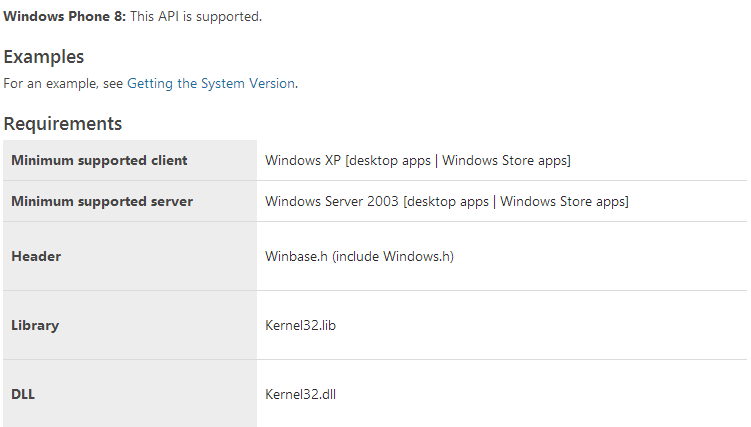
    The bad news is that WinRT framework doesn't have any method/property that returns the processor architecture  (at least I don't know it). The good news is that you can still use GetNativeSystemInfo as it is an api supported for Windows Store apps (it is even supported for Windows Phone 8 apps):


  For Windows Store apps you can use two approaches to call this api:
1. Use P/Invoke -this is the one I opted for;
2. Create a Windows Runtime Component in C++ that you can then call from managed code - this is the approach you will have to use if you need to call this function on Windows Phone 8.

   What I did is to create a public class, which I called CPU, and has one public static property NativeInfo that returns an SystemInfo object:

 public class SystemInfo  
{
public ProcessorArchitecture ProcessorArchitecture;
public ushort ProcessorArchitectureId;
public ProcessorType ProcessorType;
public uint ProcessorTypeId;
public uint NumberOfProcessors;
public ushort ProcessorLevel;
public ushort ProcessorRevision;
public uint AllocationGranularity;
};

and a public method IsProcessorFeaturePresent (invoking also a supported Api for Windows Store applications) which returns if a certain ProcessorFeature feature is supported or not.

I have also created a small sample that will give you a list with your processor details. Here is the result I got on  my Surface:


Hope you will find the class useful. Don't hesitate to contact me if you need further details.

SOURCE CODE:

NAMASTE!

Wednesday, 26 December 2012

C# XAudio2 Sound Playback for Windows Phone

     Let's begin with a small introduction to XAudio2:
     XAudio2 is a low-level audio API. It provides a signal processing and mixing foundation for games that is similar to its predecessors, DirectSound and XAudio. XAudio2 is the replacement for both DirectSound and XAudio.
     XAudio2 abstracts audio generation by separating sound data from "voice", allowing each voice to be filtered by programmable digital signal processing and effects processing functions. Voices can be "submixed" together into a single stream. There is always only one Mastering Voice that outputs the result using WASAPI.

     XAudio2 is primarily intended for developing high performance audio engines for games. For game developers who want to add sound effects and background music to their modern games, XAudio2 offers an audio graph and mixing engine with low-latency and support for dynamic buffers, synchronous sample-accurate playback, and implicit source rate conversion. Compared to WASAPI, XAudio2 requires only a minimum amount of code even for complex audio solutions. Compared to the Media Foundation engine, XAudio2 is a low-level, low-latency C++ API that is designed for use in games.
     XAudio2 cannot be used for background music - for this task you will have to use the IMFMediaEngine. XAudio2 cannot be used for capturing audio - for this task you will have to use WASAPI. Do not use XAudio2 for media playback. For that task you can use MediaElement
    XAudio2 is part of the DirectX api that is included in the new Windows Phone 8 SDK. The Api is shared between Windows 8 and Windows Phone 8 which means that you will be able to fully reuse your source code on both platforms. 

If you want to use XAudio2 for your C#/VB/HTML code you have two options:
1. Use SharpDX . SharpDX is a wrapper of the DirectX Api under .Net platform. Theoretically you can use it to call XAudio2 api directly from your managed code. Practically what happens is that the .Net CLR/GC on ARM seem to block native threads so your audio will shutter/glitch in certain conditions. I had the same problem when I was developing our Windows 8 game Kids' Orchestra and the audio had glitches even on a core i7 processor.
2. The other option, which from my experience works better, is to develop an Windows Phone Runtime Component that will manage the XAudio2 part and expose the needed methods/events to the managed code.

      To better understand how it is done I took the Windows 8 sample XAudio2 audio file playback sample C++ from MSDN and ported to Windows Phone 8 by splitting it in two projects: The C#/Xaml part for the UI and the "audio" project which is a Windows Phone Runtime component developed in C++.
     The porting was pretty easy. I only had to re-code the player class to make it "visible" to the managed code project and added an event that will tell you when a certain Source Voice has finished playing its buffer/sound (we have 7 sounds and each sound has a Source Voice associated to it). If you need further details on how to write a Windows Phone Runtime component in C++ have a look at this  MSDN Post

    This sample only plays Wav files that are resources in the C++ project. You could also dynamically generate sounds in managed code and pass the Wave/buffer data as a byte[] to the runtime component. Inside the native code you will then generate an XAUDIO2_BUFFER and submit it to a Source Voice for playing.

     I have attached the SOURCE CODE for the Windows Phone project. If you have problems with it don't hesitate to contact me.

NAMASTE!

Wednesday, 19 December 2012

Using indexOf method on array in server side JavaScript

Sometime back I was trying to use indexOf method on an Array object in server-side JavaScript (SSJS) code. But it was giving me error that indexOf method is not defined. I also couldn't find this method in help documentation. It was then it struck me that the implementation indexOf method in client side JavaScript itself is a bit fuzzy with Internet Explorer not supporting it. It can be defined using prototype property.

I found a simple solution here which implements the method. Just add the below code snippet to your SSJS code and then you would be able to use indexOf method.


Remember that this would be required for SSJS. For client side JavaScript I would recommend using dojo.indexOf.

Tuesday, 18 December 2012

Charging pattern on HTC One X

My HTC One X has a pattern in which it charges itself.


In the above screenshot of my battery usage you can see that from 10% battery level to 60% battery level my phone charges at a constant rate. But from 60% up till around 75% this rate dramatically drops and it takes much longer to charge. Then picks up again until around 90% and afterwards it charges very quickly. I don't know why does this happen and what is its significance. I contacted HTC support but there response was not satisfactory either.

So if you notice the same pattern while charging or a different one do post it in the comments.

Monday, 17 December 2012

Some business customers invited to test new BlackBerry 10 platform

If you're lucky, you may be one of the 120 select customers from 64 Fortune 500 companies to beta test the BlackBerry 10 smartphone, which is set to make a worldwide debut on the 30th of January. The new BlackBerry Hub experience is waiting for your reactions.

The by-invitation-only program starts today and includes participants from financial, government, insurance healthcare, manufacturing and media. It is design to give early adopters a real-life experience on the new BlackBerry 10 platform from Research in Motion, who introduced the BlackBerry in 1999.

“Beginning today, RIM will be visiting some of our enterprise and government ‘early adopters’ and getting them started with the BlackBerry 10 platform,” said Robin Bienfait, Chief Information Officer, Research In Motion. “At RIM, we’ve seen the power of our new enterprise mobility management solution first-hand, and we are thrilled to share BlackBerry 10 directly with these leading organizations.”


The testers will be able to use the key features of the new platform, such as BlackBerry Balance, the BlackBerry Hub, a new messenger and explore the dedicated BlackBerry app store, which is expected to contain around 100,000 apps ready at launch.

According to RIM, getting the new devices in the hands of its best and largest enterprise customers was an important step, as the launch draws closer.

The new BlackBerry 10 devices are expected to have Near Field Communication, or NFC capability, as "BlackBerry Tag" was announced by RIM in January in a BlackBerry OS 7.1. update. This technology will allow content sharing with a simple tap between two NFC-enabled BlackBerry smartphones.

RIM is also counting heavily on the new devices having the Federal Information Processing Standard in place, which also known as FIPS 140-2, a requirement for highly sensitive information. RIM says this certification will help government agencies deploy the BlackBerry 10 smartphones from the day of launch.

According to the BlackBerry Blog, a touchscreen model is expected to be shown at launch, but physical keyboard lovers shouldn't be worried, as a QWERTY model should be coming soon after the Jan. 30 unveiling.

The new devices will be based on an operating system built around features from QNX Software Systems, an automotive industry software maker, who BlackBerry acquired from Harman International Industries in April 2010. In September 2010, the BlackBerry Playbook was announced, along with a new QNX operating system.

We'll learn more about pricing, carriers and availability at the January launch.

Video: BlackBerry Fans Visit RIM HQ to Sneak a Peek at BlackBerry 10

Tips: 10 ways to use BlackBerry Bridge with your BlackBerry Playbook

Visit us on Facebook | Follow on Twitter | Send an email | View Photo Galleries

Saturday, 8 December 2012

New features in HTC One X after Jelly Bean update

Some time back I updated my HTC One X to Jelly Bean (JB) using OTA update. The update takes your Android version to 4.1.1 and Sense to 4+.


Its been almost a 2 weeks with this update and the most noticeable improvement I can see is of battery usage. My phone lasts 1-2 hours more than it used to before. Well done HTC! There also some additions (and deletions) which I am going to describe here. Now I not an Android expert so I don't know all the new features in JB itself, so you may find a feature new in JB listed here. Also you won't find Google Now and Google Play Music here as I know they are new to JB and not HTC One X.
Continue reading »

Monday, 3 December 2012

Smart watches connecting to smartphones could be next big thing

I have been feeling a little like Dick Tracy lately, as I walked around with a Sony SmartWatch on my arm. There is a certain cool factor about this device, which was on loan from Verizon Wireless.

The SmartWatch functions as an extension of your Andriod smartphone or tablet and will allow you to read text messages and view social network updates, as well as check the time and date. The latter should be a "duh" moment; of course it'll give you the time and date.

I was up and running in no time, which allowed me to leave the Android smartphone in my pocket for most tasks.

The SmartWatch makes a Bluetooth connection to Android devices. After downloading a SmartWatch Liveware manager app from the Google play store, you're off and running with Facebook and Twitter updates, the weather, text messages and other features that have smart watch apps available. After digging around in the Android app store, I discovered SmartWatch apps for eBay, Web Cams, games, and get this – a Bubble Level.

I got most of these apps and features to work with the SmartWatch, but keeping a connection to the Android phone is kind of flaky. You can't let them get too far apart, as in the next room, or the Bluetooth connection will be lost.

I also found that swiping the face of the SmartWatch to control the menus and features was a little hit and miss. I would prefer hard button for some of these functions, as the face of the watch is too small for big fingers to be swipe and pinch. The SmartWatch has a single button to bring up the time and date.

Some users found the charging cable tricky to navigate, as it plugs into the underside of the watch, but depend on clamping friction from the watch back against the band to hold it securely. But once you do it a couple of time, it becomes a fairly easy maneuver.

The SmartWatch is compatible with most Android smartphones and tablets. A long list on Verizon's website includes the Droids, HTC, LG, Motorola and Samsung devices. As expected, the Sony Xperia Play is also compatible.

The Sony SmartWatch is listed at $149 from Verizon Wireless and is only available for Android devices at this time. But other manufacturers are also working on iOS compatibility, along with their Android software.

The Citizen Watch Company is taking a different approach with their $495 Eco-Drive Proximity wristwatch. According to this well-known giant in wristwatches, their smart-watch timepiece will connect to the iPhone 4S and iPhone 5 through Bluetooth and features automatic adjustments for time zones, a lost iPhone search feature and email alerts with discrete vibration.

To use the smart watch features on the Citizen Proximity watch, you'll need the Proximity app in the Apple App Store. But early adopters are reporting Bluetooth connectivity problems in their reviews.


This technology is still in the early stages and I'll say the best is yet to come. As we look ahead to 2013, we can expect smart watches from MetaWatch, Martian Watches and Pebble. All of these firms have watches that are about to hit the market or are on the drawing board. These devices will be able to answers phone calls and the social networks integration will get better.

I'll predict that smart watches will be the next big thing and we won't have to reach for the smartphones as often to check emails or answer a call.

More: Apple smartwatch may be in the works

Visit us on Facebook | Follow on Twitter | Send an email | View Photo Galleries

Sunday, 2 December 2012

Making internet pass-through work after updating HTC One X to Jelly Bean

Update 22 Jan 2013: "HTC Sync" seems to have been discontinued so the download links given below will not work. "HTC Sync" is different from "HTC Sync Manager". For exact difference read on.

I recently upgraded my HTC One X to Jelly Bean via OTA update. After updating I was unable to use internet pass-through which used to work flawlessly before and I already had HTC Sync installed on my PC. I uninstalled, installed, uninstalled again and installed again to make it work. But it simply refused. It gave me error of "Either you do not have the latest version of HTC Sync installed on your PC, or another phone is already using Internet pass-through on your PC." on my phone.


From this discussion on XDA Developers forum I found that there is something called as HTC Sync Manager. This is different from HTC Sync which I had installed on my machine. I don't know why HTC did this but its really confusing. Here's how these two software look.
Continue reading »

Thursday, 29 November 2012

Bluetooth Service's UUIDs

If you are developing on Windows Phone 8 and trying to communicate with a Bluetooth device using a StreamSocket these UUID's might come in handy:


ServiceDiscoveryServerServiceClassID= '{00001000-0000-1000-8000-00805F9B34FB}';
BrowseGroupDescriptorServiceClassID = '{00001001-0000-1000-8000-00805F9B34FB}';
PublicBrowseGroupServiceClass = '{00001002-0000-1000-8000-00805F9B34FB}';
SerialPortServiceClass = '{00001101-0000-1000-8000-00805F9B34FB}';
LANAccessUsingPPPServiceClass = '{00001102-0000-1000-8000-00805F9B34FB}';
DialupNetworkingServiceClas = '{00001103-0000-1000-8000-00805F9B34FB}';
IrMCSyncServiceClass = '{00001104-0000-1000-8000-00805F9B34FB}';
OBEXObjectPushServiceClass= '{00001105-0000-1000-8000-00805F9B34FB}';
OBEXFileTransferServiceClass = '{00001106-0000-1000-8000-00805F9B34FB}';
IrMCSyncCommandServiceClass= '{00001107-0000-1000-8000-00805F9B34FB}';
HeadsetServiceClass = '{00001108-0000-1000-8000-00805F9B34FB}';
CordlessTelephonyServiceClass = '{00001109-0000-1000-8000-00805F9B34FB}';
AudioSourceServiceClass = '{0000110A-0000-1000-8000-00805F9B34FB}';
AudioSinkServiceClass= '{0000110B-0000-1000-8000-00805F9B34FB}';
AVRemoteControlTargetServiceClass = '{0000110C-0000-1000-8000-00805F9B34FB}';
AdvancedAudioDistributionServiceClass = '{0000110D-0000-1000-8000-00805F9B34FB}';
AVRemoteControlServiceClass= '{0000110E-0000-1000-8000-00805F9B34FB}';
VideoConferencingServiceClass = '{0000110F-0000-1000-8000-00805F9B34FB}';
IntercomServiceClass = '{00001110-0000-1000-8000-00805F9B34FB}';
FaxServiceClass = '{00001111-0000-1000-8000-00805F9B34FB}';
HeadsetAudioGatewayServiceClass= '{00001112-0000-1000-8000-00805F9B34FB}';  
WAPServiceClass = '{00001113-0000-1000-8000-00805F9B34FB}';
WAPClientServiceClass = '{00001114-0000-1000-8000-00805F9B34FB}';
PANUServiceClass = '{00001115-0000-1000-8000-00805F9B34FB}';
NAPServiceClass = '{00001116-0000-1000-8000-00805F9B34FB}';
GNServiceClass = '{00001117-0000-1000-8000-00805F9B34FB}';
DirectPrintingServiceClass = '{00001118-0000-1000-8000-00805F9B34FB}';
ReferencePrintingServiceClass = '{00001119-0000-1000-8000-00805F9B34FB}';
ImagingServiceClass= '{0000111A-0000-1000-8000-00805F9B34FB}';
ImagingResponderServiceClass = '{0000111B-0000-1000-8000-00805F9B34FB}';
ImagingAutomaticArchiveServiceClass = '{0000111C-0000-1000-8000-00805F9B34FB}';
ImagingReferenceObjectsServiceClass = '{0000111D-0000-1000-8000-00805F9B34FB}';
HandsfreeServiceClass = '{0000111E-0000-1000-8000-00805F9B34FB}';
HandsfreeAudioGatewayServiceClass = '{0000111F-0000-1000-8000-00805F9B34FB}';
DirectPrintingReferenceObjectsServiceClass = '{00001120-0000-1000-8000-00805F9B34FB}';
ReflectedUIServiceClass = '{00001121-0000-1000-8000-00805F9B34FB}';
BasicPringingServiceClass = '{00001122-0000-1000-8000-00805F9B34FB}';
PrintingStatusServiceClass= '{00001123-0000-1000-8000-00805F9B34FB}';
HumanInterfaceDeviceServiceClass = '{00001124-0000-1000-8000-00805F9B34FB}';
HardcopyCableReplacementServiceClass = '{00001125-0000-1000-8000-00805F9B34FB}';
HCRPrintServiceClas = '{00001126-0000-1000-8000-00805F9B34FB}';
HCRScanServiceClass= '{00001127-0000-1000-8000-00805F9B34FB}';
CommonISDNAccessServiceClass = '{00001128-0000-1000-8000-00805F9B34FB}';
VideoConferencingGWServiceClass = '{00001129-0000-1000-8000-00805F9B34FB}';
UDIMTServiceClass = '{0000112A-0000-1000-8000-00805F9B34FB}';
UDITAServiceClass = '{0000112B-0000-1000-8000-00805F9B34FB}';
AudioVideoServiceClass = '{0000112C-0000-1000-8000-00805F9B34FB}';
SIMAccessServiceClass = '{0000112D-0000-1000-8000-00805F9B34FB}';
PnPInformationServiceClass= '{00001200-0000-1000-8000-00805F9B34FB}';
GenericNetworkingServiceClass = '{00001201-0000-1000-8000-00805F9B34FB}';
GenericFileTransferServiceClass = '{00001202-0000-1000-8000-00805F9B34FB}';
GenericAudioServiceClass= '{00001203-0000-1000-8000-00805F9B34FB}';
GenericTelephonyServiceClass = '{00001204-0000-1000-8000-00805F9B34FB}';


Monday, 26 November 2012

Nokia 206 brings new technology, design to classic feature phone


The feature phone is not dead. Nokia is bringing new life to these guys from "back in the day" with their announcement of the Nokia 206 today. So long live the alphanumeric keyboard.

This classic design has a 2.4-inch display and comes in single and dual-SIM versions. The camera is nothing to brag about at 1.3 megapixels and it also has video capture. But the camera is optimized for sharing pictures - let's say on Facebook - at around 700KB. The downsizing is done automatically.

But here is something to brag about. Nokia is claiming 20 hours of talk time in battery life for the single-SIM version, with a 47-day standby mode. That's over month without recharging. The dual-SIM model has a lower 25-day standby time.

As for memory, there is 10 megabytes of user memory, along with a slot that accept a 32-gigabyte SD card.

Nokia did manage to incorporate some nifty technology into the feature phone platform. Their "Slam" technology allows the sharing of items over Bluetooth, but you don't have to pair the phones. Their "Xpress Browser" allows Web browsing using cloud-based servers, which helps to limit excessive data charges and saves the user money.

When the Nokia 206 is available before the end of the year, there will be a choice of five colors - white, cyan, magenta, yellow and black. It'll cost around $62 without carrier subsidies and will be offered in markets outside the United States.

The one thing I can say about the newest feature phone from Nokia is that it's very snazzy.

Visit us on Facebook | Follow on Twitter | Send an email | View Photo Galleries

Tuesday, 20 November 2012

Adding caption to image in form

When you add an image on to your form in Lotus Notes you can specify a caption for that image. In the image properties you will find this option along with where do you want to position this caption.


I usually use this technique to put text on fancy button images. So with just one image resource I can have multiple buttons with each having different text on it. You can even change the font by clicking on the image and then setting font properties in toolbar.


Some limitations of this technique are that the caption cannot be computed and it does not work on web.

Sunday, 18 November 2012

Samsung Galaxy S III, Motorola Photon Q near perfection


I have been in smartphone wonderland for the past few weeks. C Spire Wireless took me there with the Samsung Galaxy S III and the Motorola Photon Q. Both of these devices are on C Spire's 4G LTE network.

I could stop right here and say these smartphones are what dreams are made of, but you need to know the details. With one in each pocket , I found myself reaching for either the Galaxy S III or the Photon Q, depending on what I was doing.

Galaxy S III close to perfect

To keep it simple, the Galaxy S III is just plain nice. The spacious 4.8-inch Super AMOLED display makes other devices seem small, including my iPhone 5, which did grow in height from the previous iPhone models.

This fine example of a smartphone runs Android 4.0.4, also know as Ice Cream Sandwich. It has been working out and shaping up since the Galaxy S II appeared about a year ago.

The Galaxy S III can be packed with 32 gigabytes of memory, compared with 16GB for the S II, and has beefed up to a dual-core 1.5 gigahertz processor, compared with a 1.2 GHz dual-core processor in the earlier version. If you need more storage space, the Galaxy S III can accept a 64GB SD Card, where the Galaxy S II was maxed out at 32GB.

The rear camera remains at 8 megapixels, just like its earlier sibling, but the front camera specifications is down slightly from 2.9 to 1.9 MP. But that shouldn't affect the Galaxy S III Burst Shot feature, which allows 20 continuous shots in a few seconds.

The Galaxy S III is full of cool technology, such as the S Beam feature for transferring photos, video and other documents just by placing it against the back of another Galaxy phone. Even cooler than that is the Smart Stay technology, with keeps the screen from dimming as long as you are staring at the display.

One of my most-watched area of emerging technology is Near Field Communication, or NFC, and the Galaxy S III has it on board, unlike the iPhone 5. By using Samsung's programmable NFC TecTiles stickers and the free TecTile app, this phone can perform all sorts of actions when it comes close to a sticker.

It's as simple as programming a sticker to change a setting, set an alarm or open your social media page. Just place the sticker in a convenient place and a tap will perform the action. You can have some hi-tech moments with the Galaxy S III by getting a package of five TecTile NFC stickers for $14.99.

The Galaxy S III also supports motion gestures to make a call by bringing the phone to your ear or scrolling quickly to the top of a list by tapping twice on the top menu bar.

This device is about as close to perfect as you can get in a smartphone.

The Motorola Photon Q means business

Some smartphones just feels good in your hands and you expect to have a good experience. That's the feeling the Motorola Photon Q gives the user.

This was C Spire's first 4G LTE device when it arrived on the shelves in September featuring a 1.5 GHz dual-core processor, a 4.3-inch touchscreen and 8GB of memory. I'll bet customers were not disappointed.

The first thing you'll notice is the extra ounces in weight that comes from the slide-out QWERTY keyboard. If you do a lot of text messages and accuracy is of utmost importance, the QWERTY keyboard is spacious with five rows of keys that includes a dedicated numbers row.

The keys are outlined with LED lights in low-light situations, which makes them easy to see and gives a nice glow to the keypad. My typing accuracy increased on the Photon Q's keyboard when compared with similar efforts on digital keyboards.

Because the Photon Q seems geared toward the enterprise user, it has business-ready security and encryption for protecting emails, contacts and appointments.

Just like the Galaxy S III, the Photon Q also joins a growing list of smartphones with NFC support to share links, apps using the Android Beam feature.

Android devices gaining market dominance

The Galaxy S III and Photon Q for $199.99 under contracts are good examples of why recent research reports show that the Android platform now owns 72.4% of the smartphone market. While Apple's iOS holds second place, the iPhone is simply being outnumbered by compelling Android devices. It's yet to be seen if the recent Windows Phone 8 platform and the new BlackBerry 10 debut in January will slow down the Android march to dominance. Samsung, Motorola and HTC are strong contenders as Android gathers market share.

Both of these devices run on C Spire's 4G LTE network, which is available in 31 Mississippi markets, with plans to add another 6 by year end. The high-speed 4G network is now the standard and almost a must-have for downloading apps, music, books and other data-intensive functions and services.

If you're looking for smartphones near perfection, look no further than the Galaxy S III and Photon Q. I also like the iPhone 5, minus a few software glitches. I can vouch for these and we'll see how Windows Phone 8 devices are received and keep our fingers crossed for the BlackBerry 10 platform.

These devices should hold you for a while, or at least until the Samsung Galaxy S4 comes along.

Visit us on Facebook | Follow on Twitter | Send an email | View Photo Galleries

Click to become a LifeFlicksTech member

Thursday, 15 November 2012

BlackBerry 10 launch set for Jan. 30; new smartphones unveiled


The BlackBerry 10 interface will include a new feature that will divide the screen into a "Personal" and "Work" display of apps and data.

The BlackBerry 10 launch is scheduled for Jan. 30, where Research in Motion, the smartphone's maker, will unveil the first two BlackBerry 10 Smartphones that will run on the new platform.

This is what a lot of BlackBerry fans have been patiently waiting for, as the iPhone, Android devices and now Windows Phone 8 devices, chip away at the loyalty of RIM’s customers.

The two devices expected to be announced have been rumored to be a touchscreen and a QWERTY keyboard model. The latter will soothe the fears of a lot of diehard BlackBerry fans, since the famous BlackBerry keyboards have been one of the reason for the device's popularity over the years.

According to RIM, the BlackBerry 10 will “create a truly unique mobile computing experience that constantly adapts to your needs” using an approach called BlackBerry Flow that will be unlike any other smartphone in the market.

Other new key features likely to found on the new platform include a new keyboard that will “learn how you write and adapt to how you type” and a feature to balance your personal and business apps and data.

The launch will happen simultaneously in multiple countries. More details will available at the event.

More: BlackBerry 10 to debut new apps

Visit us on Facebook | Follow on Twitter | Send an email | View Photo Galleries

Wednesday, 14 November 2012

Drag out file links from download control to save just like in Gmail

Google adds a lot of interesting features in it products. One of them is dragging a file link in your Gmail on to your desktop (or a folder) to download it. This article on CSS Ninja explains exactly how it is done.

We can also put this feature in our download control so that each file link can be dragged on to your folder to start download without going through save dialog.

Step 1: Identifying the file links in a download control

This is actually pretty simple. XPages by default sets the class name of the file links in download control to xspLinkFileDownload. So all you need to do is to use a simple dojo.query to find all those link and loop through them.

Step 2: Adding attributes to anchor tag

Now you need to set two attributes in the anchor tags of file links - draggable and ondragstart. The draggable attribute needs to be set to true, that's all.

Setting ondragstart requires a bit more details. You need to call event.dataTransfer.setData("DownloadURL", "application/octet-stream:<FILE NAME>:<FILE DOWNLOAD URL>"). Note that while specifying <FILE DOWNLOAD URL> make sure its the complete path start from http://. These attributes can be set using dojo.attr.

So your final JavaScript code looks something like this:


One limitation here is that this only works for Google Chrome. I have put this script block on XSnippets here. Just copy it from there and put it into your XPage.

Monday, 5 November 2012

Franklin Wireless 4G modem a champ with providing Wi-Fi signal

Finally, I can say that I was able to access the Internet at the grandparents house, a low-tech enclave best known as a weekend getaway, along with a dose of tranquility. As relaxing as it is, there is no available Wi-Fi signal within range of the comfortable couches in the family room.

So the lack of being connected to the world was bothering us until I discovered the Franklin Wireless USB Modem from C Spire Wireless. Let’s bump it up a bit and make that a “4G LTE Smart” modem available on what C Spire calls the first “personalizing wireless services” experience.

This device is about the size of a pack of gum and comes with a round USB charger, which plugs into any electrical outlet. The wireless modem plugs into the charger. The entire setup is as simple as a doughnut.

In less than a minute, at least two of the three indicator lights will indicate a Wi-Fi signal with a red glow and, in my case, a 4G signal as a blue glow. Any 3G signal will show as a green glow.

Surrounded by a family tree of photos of past generations from my wife’s family, it was time to bring a heavy presence of technology to the old homestead.

As Featured On EzineArticlesFirst up was a MacBook Pro that connected to the “C Spire 4G LTE Hotspot 3315” in the available Wi-Fi list with no problems. Then an iPhone 5 connected and was off and running on C Spire’s 4G network. The iPad was next in line, followed by an iPhone 4S. Again, no problems connecting.

Since we were having a good time, I decided to go for five devices, which is the maximum number of connections for the Franklin Wireless hotspot modem.

Next on the runway was a Nook Color, my dependable e-reader that I thought might be the curve ball that the Franklin Wireless 4G modem would miss.

But it was another home run for the hotspot modem as my wife and I moved from device to device – enjoying a high-speed Internet connections at the grandparents place that we had wished for in past visits.

The Franklin Wireless modem is super easy to use. The hardest part was inserting the C Spire USIM card, as the sliding cover on the modem can be a little fussy.

The device is designed to turn on automatically when connected to a USB power source using the AC-to-USB adapter or a cigarette lighter USB charger or and external USB battery pack.

You’ll also need to keep in mind that no Wi-Wi password is set by default for the wireless modem and your precious signal will be open to everyone to enjoy. A password can be set by access the Web interface.

The hotspot modem is listed as working with Windows XP through Windows 7 and Mac OS X. Windows XP users will need to install a Remote NDIS driver. I don’t have information on Windows 8 compatibility at this time.

I like this device and if you’re thinking about buying, it’s available online at cspire.com for $29.99 with a two-year contract. Of course, you’ll have to choose a data plan to fit your needs.

The Franklin Wireless Modem will be handy whenever you’re without a Wi-Fi signal. If you’re in C Spire’s coverage area, just look for a power outlet and you’re in business.

Visit us on Facebook | Follow on Twitter | Send an email | View Photo Galleries

Click to become a LifeFlicksTech member

Thursday, 25 October 2012

Getting resources in database as stream in XPages (SSJS / Java)

Some time back I was trying to get the resources in database (to be precise image resource) in my SSJS / Java code. I tried a lot of options like ClassLoader.getResourceAsStream, MyClass.class.getResourceAsStream but no success. Then today while going through the sample database of Extension Library I ran into a piece of code which got the image resource as stream using a single line of code.


As simple as that. In case of Java you would write like this:


In my tests this worked for getting image resources, file resource and style sheets as streams.